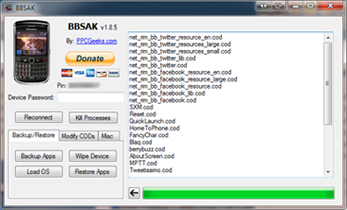
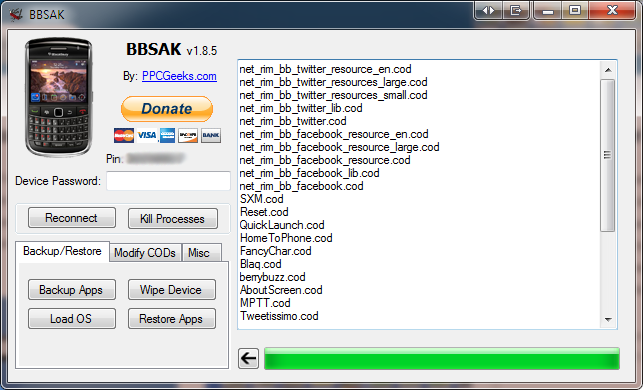
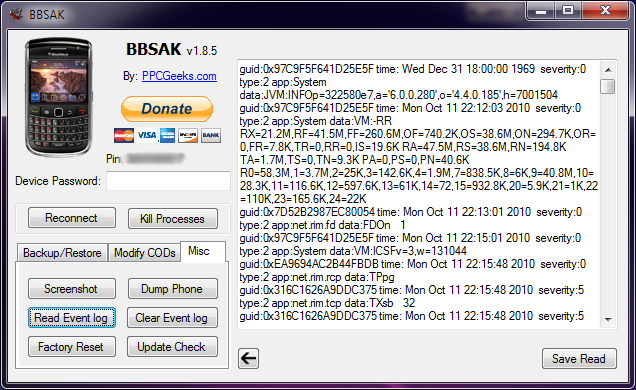
* Blackberry (8100,8110,8120,8310,8320,8900,9000,9500)
* Draft Rtas "Only 8900,9000,9500" the other a standard Loader
* MFI Multiloader
* Radio Lab Tools
1. run the Loader or Rtas draft "without battery"
2. Connect with Radio Lab Tools
3. after that says "Connect" at Radio Lab Tools
4. open MFI Multiloader deselect the "Auto Start"
5. Then open the hidden menu by pressing "ctrl + alt + shift + F12"
6. Press "Clear MEP" If you did everything right will say "MEP file loaded
successfully "
7. Now reload the OS
8. And now you will see mep 0 reset
FAQ
For a 9500 can i make the same procedure. was able to reach up to loader part. But MML 2.0.1.3 Does not detect the PHONE !!! That NORMAL? how to make the MML detect the phone??? Does not detect the PHONE !!! That NORMAL? how to make the MML detect the phone???
extract this on C:/MML
BBBI Drivers.rar
bb9000 etisalat sh0ws 0 mep left when trying to unlock...
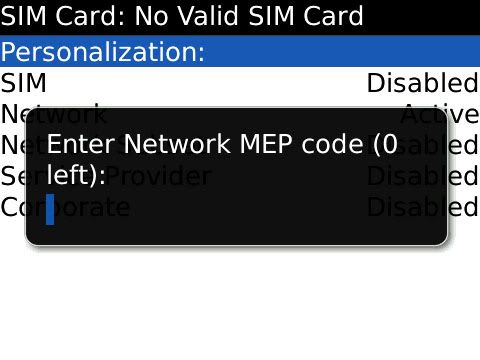
FIRST: YOU MUST HAVE BLACKBERRY FACTORY OS NO APPLICATION....
YOU CAN DOWN LOAD IT HERE..... 9000_METEOR_FOS
open the file (9000_meteor_fos) this is dos/command file....
if you succeed your phone screen will show factory os;
n0w open MFI v2.0.1.3
connect ph0ne
when connected hold SHIFT+CTRL+F12 to sh0w mfi secret menu
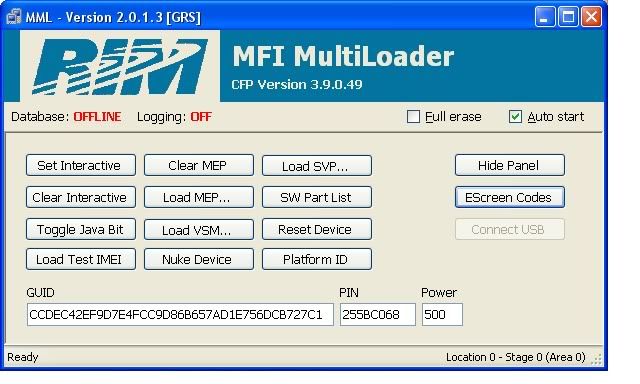
now tick CLEAR MEP
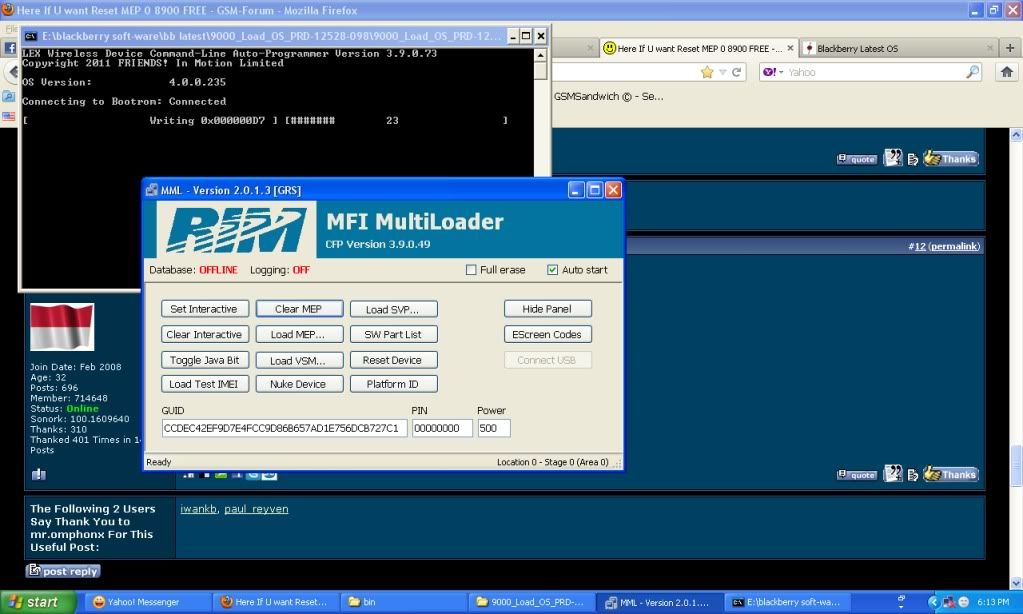
if MEP deleted successfully open 9000_Load_OS_PRD-12528-098
it is also ah dos/command file bb firmware autoloader
YOU CAN DOWN LOAD IT HERE..... 9000_METEOR_FOS
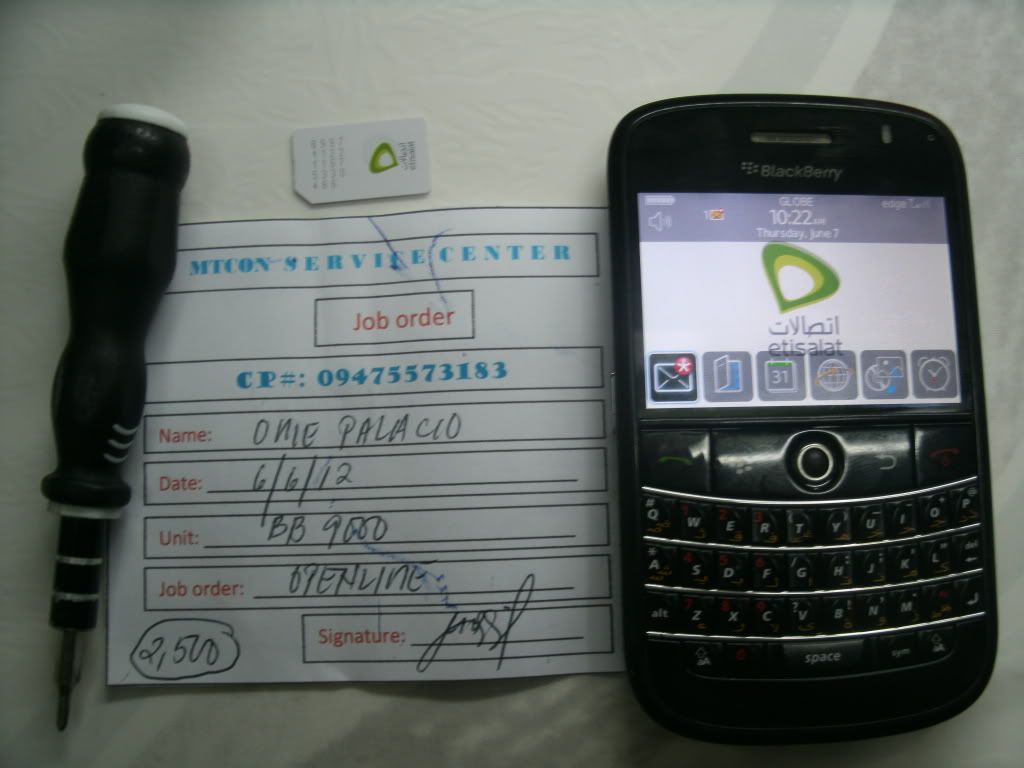
if firmware loaded succesfully your phone must be in unlocked state
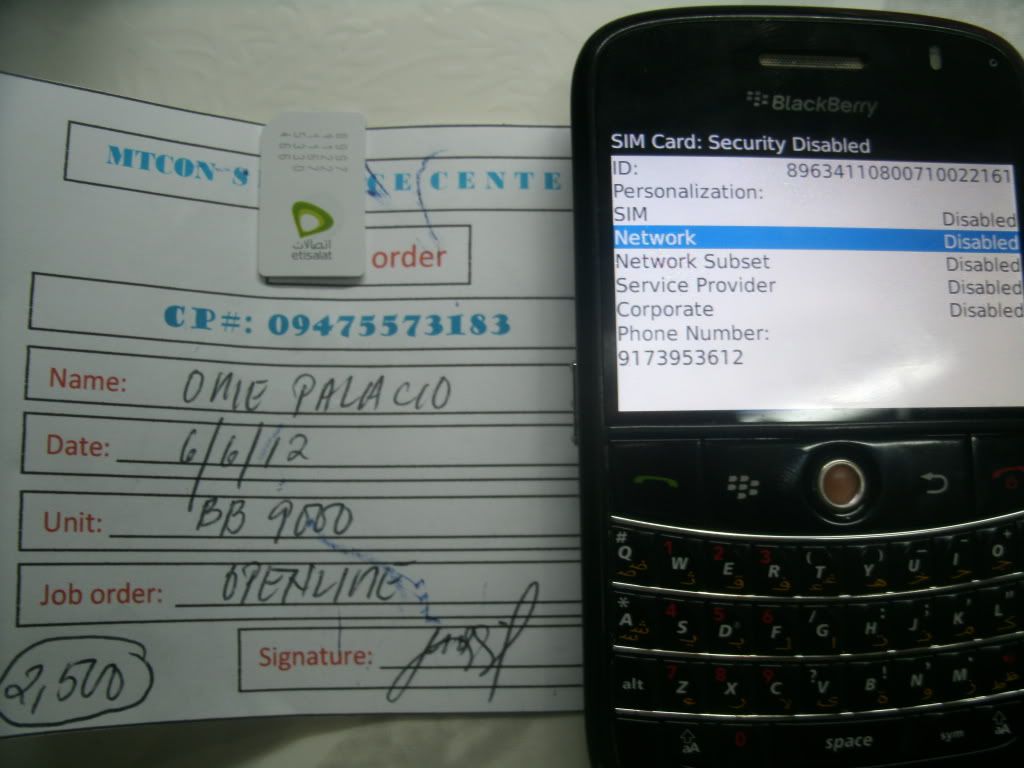
here is the proof:
DOWNLOAD file and everything needed here....
9000_METEOR_FOS
dont forget to turf off internet connection when opening MFI
* Draft Rtas "Only 8900,9000,9500" the other a standard Loader
* MFI Multiloader
* Radio Lab Tools
1. run the Loader or Rtas draft "without battery"
2. Connect with Radio Lab Tools
3. after that says "Connect" at Radio Lab Tools
4. open MFI Multiloader deselect the "Auto Start"
5. Then open the hidden menu by pressing "ctrl + alt + shift + F12"
6. Press "Clear MEP" If you did everything right will say "MEP file loaded
successfully "
7. Now reload the OS
8. And now you will see mep 0 reset
FAQ
For a 9500 can i make the same procedure. was able to reach up to loader part. But MML 2.0.1.3 Does not detect the PHONE !!! That NORMAL? how to make the MML detect the phone??? Does not detect the PHONE !!! That NORMAL? how to make the MML detect the phone???
extract this on C:/MML
BBBI Drivers.rar
bb9000 etisalat sh0ws 0 mep left when trying to unlock...
FIRST: YOU MUST HAVE BLACKBERRY FACTORY OS NO APPLICATION....
YOU CAN DOWN LOAD IT HERE..... 9000_METEOR_FOS
open the file (9000_meteor_fos) this is dos/command file....
if you succeed your phone screen will show factory os;
n0w open MFI v2.0.1.3
connect ph0ne
when connected hold SHIFT+CTRL+F12 to sh0w mfi secret menu
now tick CLEAR MEP
if MEP deleted successfully open 9000_Load_OS_PRD-12528-098
it is also ah dos/command file bb firmware autoloader
YOU CAN DOWN LOAD IT HERE..... 9000_METEOR_FOS
if firmware loaded succesfully your phone must be in unlocked state
here is the proof:
DOWNLOAD file and everything needed here....
9000_METEOR_FOS
dont forget to turf off internet connection when opening MFI
Blackberry Software and OS
*Silahkan langsung klik pada file yang ingin anda download
MFI Multi Loader v2.0.1.3
* pass:m0rph3us
Hamachi and USB Over Network
============================================================ =========
Autoloader for Load OS to Blackberry Handset ( LINK UPADTED ) June 12, 2012
- 10.FACTORY OS BB 8120 _FOS.2.7.0.30.exe
2012-05-24 16:49:19, 10 MB- 11.FACTORY OS BB 8130 _FOS.3.2.0.27.exe
2012-05-24 16:49:20, 13 MB- 12.FACTORY OS BB 8130m _FOS.3.4.0.11.exe
2012-05-24 16:49:22, 13 MB- 13.FACTORY OS BB 8220 _FOS.4.1.0.24.exe
2012-05-24 16:49:20, 10 MB- 14.FACTORY OS BB 8230 _FOS.3.3.0.94.exe
2012-05-24 16:49:26, 13 MB- 15.FACTORY OS BB 8230m _FOS.3.3.0.94.exe
2012-05-24 16:55:07, 13 MB- 16.FACTORY OS BB 8300 _FOS.2.4.0.35.exe
2012-05-24 16:35:57, 9 MB- 17.FACTORY OS BB 8310 _FOS.2.7.0.31.exe
2012-05-24 16:36:05, 10 MB- 18.FACTORY OS BB 8320 _FOS.2.7.0.31.exe
2012-05-24 16:45:18, 10 MB- 19.FACTORY OS BB 8330 _FOS.3.2.0.38.exe
2012-05-24 16:49:21, 13 MB- 1.FACTORY OS BB 7100 _FOS.1.80.0.18.exe
2012-05-24 16:35:53, 8 MB- 20.FACTORY OS BB 8330m _FOS.3.4.0.17.exe
2012-05-24 16:41:29, 13 MB- 21.FACTORY OS BB 8520 _FOS.4.2.0.14.exe
2012-05-24 17:05:48, 9 MB- 22.FACTORY OS BB 8530 _FOS.4.2.0.313.exe
2012-05-24 18:09:04, 20 MB- 23.FACTORY OS BB 8900 _FOS.4.2.0.51.exe
2012-05-24 17:05:59, 13 MB- 24.FACTORY OS BB 8910 _FOS.5.2.0.20.exe
2012-05-24 17:05:49, 10 MB- 25.FACTORY OS BB 8980 _FOS.6.1.0.46.exe
2012-05-24 17:05:50, 11 MB- 26.FACTORY OS BB 9000_FOS.4.0.0.86.exe
2012-05-24 17:05:54, 12 MB- 27.FACTORY OS BB 9100 _FOS.6.2.0.91.exe
2012-05-24 17:05:50, 11 MB- 28.FACTORY OS BB 9105 _FOS.6.2.0.91.exe
2012-05-24 17:05:51, 11 MB- 29.FACTORY OS BB 9300 _FOS.6.3.0.65.exe
2012-05-24 17:05:56, 12 MB- 2.FACTORY OS BB 7100i _FOS.2.1.0.48.exe
2012-05-24 16:35:48, 7 MB- 30.FACTORY OS BB 9330 _FOS.4.2.0.441.exe
2012-05-24 17:14:19, 20 MB- 31.FACTORY OS BB 9500 _FOS.4.0.0.141.exe
2012-05-24 17:31:04, 22 MB- 32.FACTORY OS BB 9520 _FOS.4.3.0.66.exe
2012-05-24 18:01:33, 23 MB- 33.FACTORY OS BB 9530 _FOS.4.0.0.229.exe
2012-05-24 17:43:42, 21 MB- 34.FACTORY OS BB 9550 _FOS.4.3.0.73.exe
2012-05-25 07:18:07, 25 MB- 35.FACTORY OS BB 9630 _FOS.4.1.0.87.exe
2012-05-24 18:56:58, 23 MB- 36.FACTORY OS BB 9650 _FOS.4.2.0.411.exe
2012-05-24 20:49:51, 24 MB- 37.FACTORY OS BB 9670 _FOS.4.4.0.224.exe
2012-05-24 20:28:11, 20 MB- 38.FACTORY OS BB 9700 _FOS.5.1.0.22.exe
2012-05-24 17:05:53, 12 MB- 39.FACTORY OS BB 9780 _FOS.6.5.0.90.exe
2012-05-24 17:05:55, 12 MB- 3.FACTORY OS BB 7130e _FOS.2.2.0.185.exe
2012-05-24 16:36:02, 9 MB- 40.FACTORY OS BB 9800 _FOS.6.4.0.156.exe
2012-05-24 17:05:57, 13 MB- 41.FACTORY OS BB 9810 _FOS.5.0.0.10.exe
2012-05-24 18:08:52, 26 MB- 42.FACTORY OS BB 9860 _FOS.5.0.0.470.exe
2012-05-24 18:08:52, 26 MB- 43.FACTORY OS BB 9900 _FOS.5.0.0.458.exe
2012-05-24 18:08:53, 27 MB- 44.FACTORY OS BB 9930 _FOS.5.0.0.384.exe
2012-05-24 18:08:54, 29 MB- 4.FACTORY OS BB 7130g _FOS.2.1.0.37.exe
2012-05-24 16:35:55, 8 MB- 5.FACTORY OS BB 7200 _FOS.1.80.0.4.exe
2012-05-24 16:35:49, 8 MB- 6.FACTORY OS BB 7250 _FOS.2.2.0.187.exe
2012-05-24 16:36:03, 9 MB- 7.FACTORY OS BB 7290 _FOS.1.80.0.18.exe
2012-05-24 16:35:51, 8 MB- 8.FACTORY OS BB 8100 _FOS.2.4.0.26.exe
2012-05-24 16:35:56, 9 MB- 9.FACTORY OS BB 8110 _FOS.2.7.0.30.exe
2012-05-24 16:36:06, 10 MB
GSM Blackberry Factory OS / No Application Link
8300_BBEAR_FOS
8520_GEMINIW_FOS
8900_JAVELIN_FOS
9000_METEOR_FOS
9100_9105_STRATUS_FOS
9300_KEPLER_FOS
9500_THDGSM_FOS
9520_ODGSM_FOS
9700_ONYX_FOS
9780_BOLD20_FOS
9800_TLG512_FOS
9900_DAKOTA_FOS
9810_JENNINGS_FOS
9860_MONZA_FOS
*ALL Password is friendscellular.com or www.friendscellular.com
============================================================ =========
- Desktop manager 501.rar
- GEMINI 8520wifiM_PBr5.0.0_rel1385_PL5.2.0.76_A5.0.0.822.exe
- Javelin 8900M_PBr5.0.0_rel1385_PL5.2.0.76_A5.0.0.822.exe
- BOLD 9000M_PBr5.0.0_rel1385_PL5.2.0.76_A5.0.0.822.exe
- STORM 9530AMEA_PBr5.0.0_rel808_PL4.2.0.179_A5.0.0.419_Bell_Mobility_Inc.exe
- 9550AMEA_PBr5.0.0_rel1612_PL4.2.0.427_A5.0.0.983_Inland_Cellular.exe
- 9630cmpttAMEA_PBr5.0.0_rel1600_PL4.2.0.424_A5.0.0.975_VZW.exe
- 9700jAllLang_PBr5.0.0_rel1607_PL5.1.0.177_A5.0.0.979.exe
- 9700jAsia_PBr6.0.0_rel1478_PL6.6.0.86_A6.0.0.380_Vodafone_Essar_Limited.exe *NEW OFFICIAL OS
- 9800AllLang_PBr6.0.0_rel695_PL6.4.0.105_A6.0.0.246_AT_amp_T.exe