Pages

Subscribe:

Ads 468x60px

Monday, May 20, 2013

LG GT365 Successfully Flashing Done With GSMULTI V3.0

LG GT365 Successfully Flashing Done With GSMULTI V3.0


After Unlock Read Screen Problem Solved


If You Need Gide Just Flowing The Link

Here More By Mr, Nasirahmed
LG Flashing/Upgrading/Debranding Tutorial

Samsung e2530 successfully flash done with flasher .

Samsung e2530 successfully flash done with flasher .


Download mode- press * then connect usb .

here driver & flasher
flashtool_e2_rou.zip - 4shared.com - online file sharing and storage - download


Gide here for flash .
  • open FlashTool_E2
  • add bin file
  • add cds file
  • add dffs file
  • add psi file
  • now mark {starup in normal mode }
  • select erase while flash before download
  • click next
  • now click start usb1
  • connect phone with boot mode

here done log . . .
Quote:
Device synchronized.
Injecting EBL
Boot-loader is active
EBL version: xmm2130_JH1_512_128_10.2_M1S1 10..2
Boot mode is: BB
Using: Faster CRC, Writing all blocks
Package length is 2048 - protocol: 1.16
Baud rate set to 921600
Get flash id.
CFI stage 1
Flash ID is: 88810089
CFI stage 2
Boot process finished

Start downloading item 'CODE:catfish.fls'' from file 'D:\HWK SAMSUNG FILE\E2530\E2530XXKE3_OXAKD2\E2530XXKE3_bin.fls''.
Erasing all flash memory
Sending sec-pack.
Load region 0
Use flash pre-erase.
Sending data.
WARNING: Target EBL does not support NVM handling
Sending end-pack.
Checksum OK (0x1DC2)
Verify OK
Process time was 5 min 10 sec.

Start downloading item 'CODE:catfish.fls'' from file 'D:\HWK SAMSUNG FILE\E2530\E2530XXKE3_OXAKD2\E2530XXKE3_cds.fls''.
Sending sec-pack.
Load region 0
Use flash pre-erase.
Sending data.
WARNING: Target EBL does not support NVM handling
Sending end-pack.
Checksum OK (0x2B38)
Verify OK
Process time was 9.6 sec.

Start downloading item 'CUST:temp_GT-E2530_OXA.dffs'' from file 'D:\HWK SAMSUNG FILE\E2530\E2530XXKE3_OXAKD2\E2530OXAKD2.dffs''.
Sending sec-pack.
Load region 0
Use flash pre-erase.
Sending data.
Sending end-pack.
Verify OK
Process time was 1 min 21 sec.

Start downloading item 'BOOT CORE SLB:dwdtoolsrc/bootcore/make/.output/XMM6180_EHS2AGR_CATFISH_NOR_IVY/fls/psi_flash.fls'' from file 'D:\HWK SAMSUNG FILE\E2530\E2530XXKE3_OXAKD2\E2530XXKE3_psi_flash. fls''.
Sending sec-pack.
Load region 0
Use flash pre-erase.
Sending data.
Sending end-pack.
Checksum OK (0xFE89)
Verify OK
Process time was 562 msec.

Total time was 6 min 44 sec.
Channel 1 is succesfully closed.
If your computer does not detect your phone:

1. Run flashtool E2
2. connect phone to computer WITHOUT battery
3. insert the charged battery to phone

How to Enter DFU Mode With a Broken Home or Power Button (Windows)

How to Enter DFU Mode With a Broken Home or Power Button (Windows)

These are instructions on how to put your iPhone, iPad, or iPod touch into DFU mode with a broken home or power button.

Step One
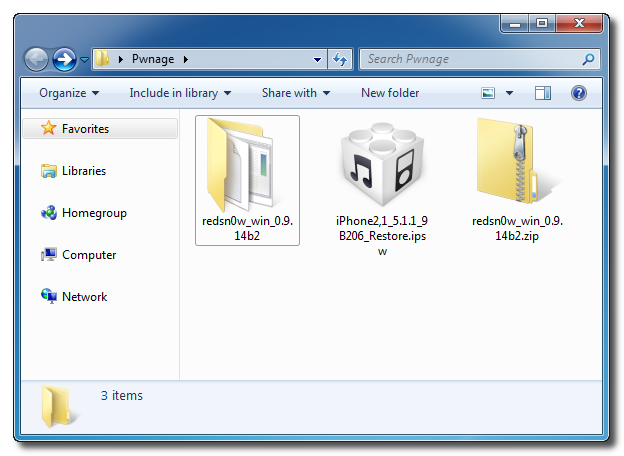
Create a new folder on your desktop called Pwnage.

In the folder place the most recent firmware (which can be downloaded from here: iPhone, iPad, iPod Touch) and the latest version of RedSn0w (from here).

Extract the RedSn0w zip file to the Pwnage folder.


Step Two
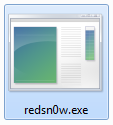
Launch the redsn0w application from the redsn0w folder we extracted earlier. You can do this by right clicking the executable and selecting Run as Administrator contextual menu.


Step Three
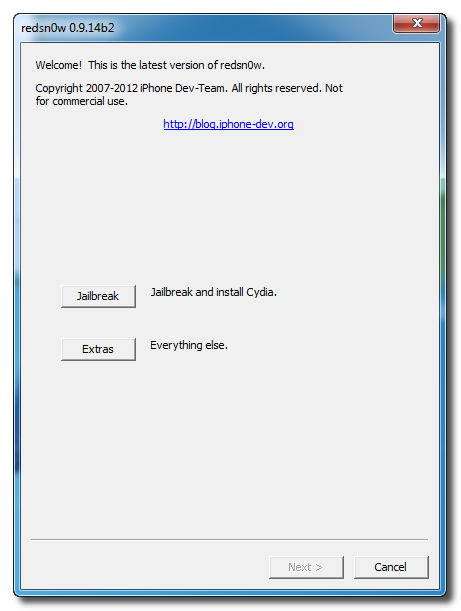
Once RedSn0w opens click the Extras button.


Step Four
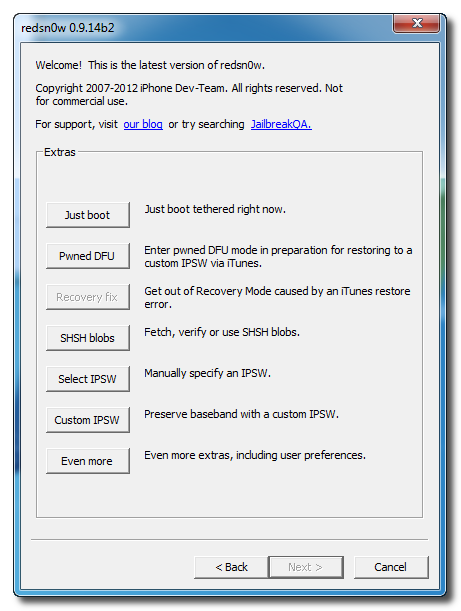
Choose Even More from the Extras menu.
Step Five
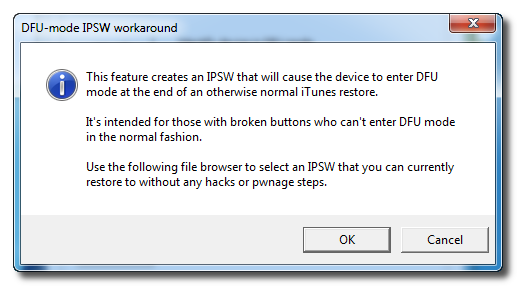
Select DFU IPSW from the Even More menu.


Step Six
You will be instructed to select an IPSW that you can currently restore to without any hacks or pwnage steps. Click OK.


Step Seven
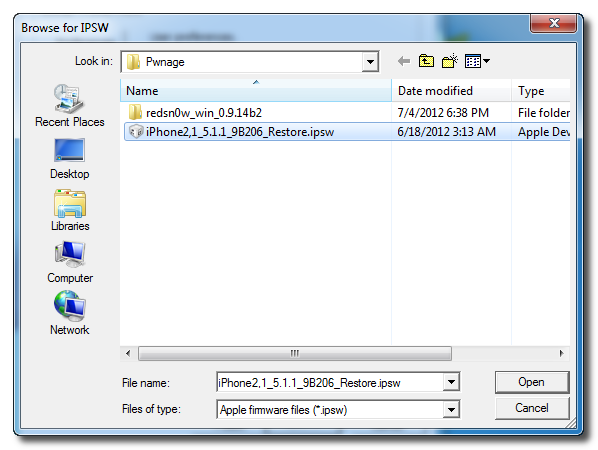
Select the ipsw firmware file you downloaded in Step One and click Open.


Step Eight
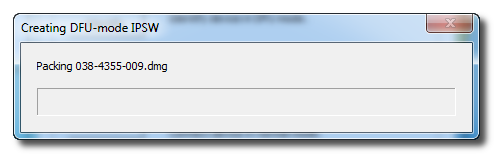
RedSn0w will now proceed to create a DFU Mode IPSW.


Step Nine
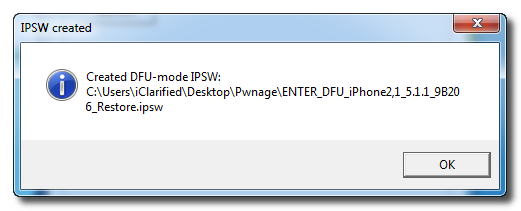
You will be notified once the IPSW has been created successfully. Click the OK button.


Step Ten
Launch iTunes.


Step Ten
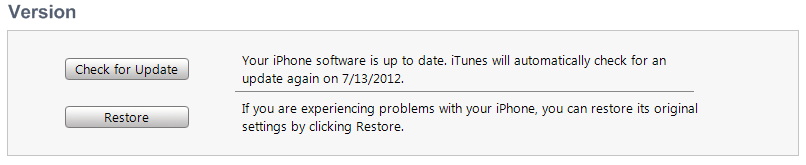
Connect your device to the computer and select it from list of devices on the left. If you haven't performed a backup recently, perform one now. Next, make sure you are on the Summary then hold down the Shift key and click Restore.


Step Eleven
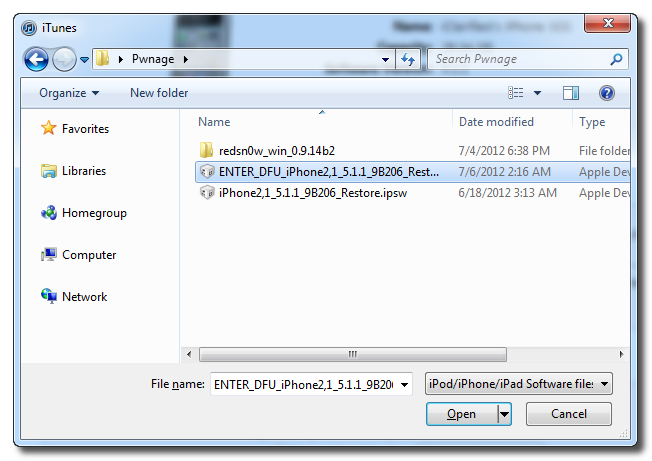
Select the ENTER_DFU ipsw from the Pwnage folder on your desktop and click the Open button.


Step Twelve
After your device has been restored it will be dumped into DFU mode. The screen will remain black and you may be able to jailbreak depending on the firmware you've restored to.
shorifrana@yahoo.com

AddThis

Related Posts Plugin for WordPress, Blogger...

12