Pages

Subscribe:

Ads 468x60px

Wednesday, April 3, 2013

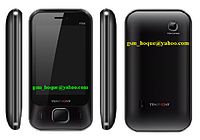
Symphony Ft38

Symphony Ft38 (MTK-6236)


INFO-1

ZH8B44_BOOTLOADER_V005_MT6236_ZH8B_044A_V1_0_0


Dohttp://adf.ly/MY65nwnload


INFO-2

ZH8B44_BOOTLOADER_V005_MT6236_ZH8B_044A_V1_0_3


http://adf.ly/MY6AV

Symphony Ft15

Symphony Ft15 (MTK-6235)


INFO-

TINNO35_09A_PCB01_GPRS_MT6235B_S01.EM940_MP_F1_BD_ F31_14_V10.BIN


Downhttp://adf.ly/MY6gXload

Symphony Ft10

Symphony Ft10


INFO-1

(MTK-6235)


TINNO35_09A_BOOTLOADER_V005_MT6235B_E930_MP_F1_V34 _03_BE.BIN


http://adf.ly/MY79x


INFO-2

(MTK-6223)

v04HUIYUE23C_08A_GEMINI_PCB01_GPRS_MT6223P_S00.622 3D_C80_JHS_ML_VDOREC_V01.BIN


http://adf.ly/MY7FU

Symphony Ft04

Symphony Ft04 (MTK-6252)


INFO-

v07TINNO52_10A_GEMINI64_PCB01_GPRS_MT6252_S01.F701 1B_MP_F2_BD_F2_01_V6.BIN


http://adf.ly/MY7ag

Symphony SL100

Symphony SL100 (MTK-6235)


INFO-

TINNO35_09A_BOOTLOADER_V005_MT6235B_E550_MP_36M_BE NGAL_02_06.bin


Download

Symphony SL75...

Symphony SL75 (MTK-6235)


INFO-

v07TINNO35_09A_PCB01_GPRS_MT6235B_S01.E581_PP_F27_ P4_BENGALI_V5


Download

Symphony SL70...

Symphony SL70 (MTK-6253)


INFO-

v07HELLEN_S02B_PCB01_GPRS_MT6253_S00.PN-SC_CN_LLNUMLD_200_YYMMDD.BIN


Download

Symphony SL70

Symphony SL70 (MTK-6253)


INFO-

v07HELLEN_S02B_PCB01_GPRS_MT6253_S00.PN-SC_CN_LLNUMLD_200_YYMMDD.BIN


http://adf.ly/MY7py

Symphony S111

Symphony S111 (MTK-6253)


(FLASH-INTEL)


INFO-

TINNO53_09B_GEMINI_BOOTLOADER_V005_MT6253_EM830_BE NGAL_PP_09B_V6

http://adf.ly/MY854

Symphony S101

Symphony S101 (MTK-6252)


INFO-
v07LCSH52_IBU_10A_PCB01_GPRS_MT6252_S01.L86VH05_11 _08_1_0T04M1229_MC12.BIN


http://adf.ly/MY8Dx

Symphony S100

Symphony S100 (MTK-6226)


INFO- v04DX2008B4_BAN_PCB01_GPRS_MT6226_S01.V1_02_M08081 4CN0-BAN.BIN


http://adf.ly/MY8M1

Symphony S97 (MTK-6227)

Symphony S97 (MTK-6227)


INFO- v04D280_BGA_PCB01_GPRS_MT6227_S01.KAA280_BGA_EN_1_ 08_616.BIN


http://adf.ly/MY8g5

Symphony S95 (MTK-6228)

Symphony S95 (MTK-6228)


INFO- HEDY28_06A_BOOTLOADER_V005_MT6228_MAUI_06A_06_36_M 78_VM_A_47.bin


http://adf.ly/MY8xc

Symphony S90 (MTK-6223)

Symphony S90 (MTK-6223)


INFO- v05ZL75A44_PCB01_GPRS_MT6223P_S00.ZL75A_44A0_V1_0_ 2.BIN


http://adf.ly/MY9Eq

Symphony EX85

Symphony EX85 (MTK-6225)


INFO-v04M370_OS_PCB01_GPRS_MT6225_S00.M370_07B_W08_24_M P_V3_VSY_8_11.BIN


http://adf.ly/MY9QO

Symphony F100 (MTK-6235)

Symphony F100 (MTK-6235)


INFO-MTK_ROMINFO_v05LCSH35_08A_PCB01_GPRS_MT6235B_S01.L 6G1710_8_52_1_0T06J0911_M902.BIN


http://adf.ly/MY9em

Symphony EX82 (MT6225)

Symphony EX82


INFO-1

v05TBG125323_6383_PCB01_GPRS_MT6225_S00.125323_638 3_V1003.BIN


http://adf.ly/MY9m9


INFO-2

v05TBG125323_6383_PCB01_GPRS_MT6225_S00.125323_638 3_V0228.BIN


Download

Symphony EX80 (MTK-6225)

Symphony EX80 (MTK-6225)


INFO-v04MX2006B2_BENGAL_PCB01_GPRS_MT6226M_S01.V1_00_05 _M081120BE1-V24.BIN


http://adf.ly/MY9vK

Symphony EX75 (MTK-6226)

Symphony EX75 (MTK-6226)


INFO- v04HEDY26_05C_PCB01_GPRS_MT6226_S01.MAUI_05C_W06_1 2_M33A_VSY_6_25.BIN


http://adf.ly/MYA3a

Symphony EX72 (MTK-6223)

Symphony EX72 (MTK-6223)


INFO-v05TBG111217_6492_PCB01_GPRS_MT6223P_S00.111217_64 92_V0716.BIN


http://adf.ly/MYAuA

Symphony EX70 (MTK-6223)

Symphony EX70 (MTK-6223)


INFO- v05QING_S26_PCB01_GPRS_MT6223P_S00.QING-S26_2V8_SBTEL_L1EN_301_090824_CAM010_MCP128+32_FM. BIN


http://adf.ly/MYBaU

Symphony Ex66 (MTK-6223)

Symphony Ex66 (MTK-6223)


INFO-v05TBG110526_611C_PCB01_GPRS_MT6223P_S00.110526_61 1C_V1141.BIN


Download

Symphony D70

Symphony D70 (MTK-6225)


INFO-1

v05LCSH25_08B_PCB01_GPRS_MT6225_S00.LBAVH01_8_5_1_ 0T04G0610_M101.BIN


Download


INFO-2

LCSH25_08B_PCB01_GPRS_MT6225_S00.LBAVH01_8_5_1_1T0 5G1129_M101.BIN


Download

Symphony D65i (MTK-6253)

Symphony D65i (MTK-6253)


INFO-v07SHRIMP_S02A_PCB01_GPRS_MT6253_S00.PN-SC_1V8_CN_LLNUMLD_203_YYMMDD_CAM_MCPMCP_O.BIN


Download

How To Jailbreak (Tethered Jailbreak) iPhone, iPod Touch On iOS 6.1.3 Using Redsn0w


However, devices with an A4 processor can receive a tethered jailbreak , which this tutorial will describe.
Note 1: This guide describes a tethered jailbreak for A4 devices (iPhone 4, iPhone 3GS, iPod touch 4G) using the latest redsn0w version only
Note 2: If you are not on iOS 6.1.3, it is recommended that you DO NOT UPGRADE, since this will ruin any current untethered jailbreaks.
Note 3: Before jailbreaking with this tutorial, it is recommended that you read through it first, so you can become familiar with the steps.
Note 4: if your iPhone is unlocked via Ultrasn0w, you should stay away from iOS 6.1.3 becasue there is no unlock solution available for now.
Compatible Devices:
  • iPhone 4
  • iPhone 3GS
  • iPod Touch 4G

Requirements :
  • Download Redsn0w 0.9.15b3 [Windows / Mac]
  • Download iOS 6.0 for iPhone 4 /3GS, iPod touch 4G

Step 1: Download the original iOS 6.0 from the link provided above.
Step 2: Download Redsn0w 0.9.15b3. Link provided above.
Step 3: Connect your A4 iDevice to your computer.

Step 4: Double click the redsn0w zip file and extract it. Navigate to the extracted redsn0w folder, and launch the redsn0w application.
Note 5: Windows XP and Windows 7 users should run Redsn0w as ‘Administrator’ (right-click on the Redsn0w exe and select ‘Run as an Administrator’)
Step 5: Click on ‘Extras‘, then click on ‘Select IPSW‘. Point redsn0w to the 6.0 firmware, which you downloaded in step 1.


Step 6: Go back to redsn0w’s welcome page, and click the ‘Jailbreak’ button

Step 7: Redsn0w should now start preparing the jailbreak data.

Step 8: Now you may select your jailbreak options – we only recommend that ‘Cydia‘ is selected. Then click ‘Next‘ to continue.

Step 9: Now you will have to put your device into DFU mode. Redsn0w will guide you through the steps below:
  • Hold down the power button (on top of your device)for 3 seconds.
  • Then, without releasing the power button, hold down the home button and keep the two buttons pressed for 10 seconds.
  • Now release the power button, but keep holding the home button down until redsn0w detects your device.


Step 10: After redsn0w detects your device, and if everything has gone successfully, then your device will reboot, and a pineapple logo will appear, indicating a tethered boot. You will now have to wait for the process to complete
Once it is complete, you should see the lock screen on your iOS device but Cydia still missing
Step 11:Launch Redsn0w again and click on “Extras” button Then “Select IPSW” button and Point redsn0w to the 6.0 firmware, which you downloaded in step 1
Step 12: Then click on the Just Boot button.
Step 13: Now you will need to put your device is DFU mode, follow the steps on step 9
If all of the above went according to plan, then congratulations! You have jailbroken your A4 device. In order to boot your device from now on, you will need to connect it to your computer, open redsn0w, then go to ‘Extras’, and click on ‘Just Boot’


[video] on how to jailbreak A4 devices on iOS 6.1.3

[YOUTUBE]HXlzLP1hbKE[/YOUTUBE]


How To Jailbreak iPhone, iPod touch On iOS 6.1.3 Using Redsn0w [Video]

How To Jailbreak iPhone, iPod touch On iOS 6.1.3 Using Redsn0w [Video]

How To Jailbreak iPhone, iPod touch On iOS 6.1.3 Using Redsn0w [Video] - Apple released iOS 6.1.3 two days ago with some improvements on the older firmware. Unfortunately, many users have accidentally updated their devices to 6.1.3, and discovered that evasi0n is not compatible with the latest firmware, so there is no way to jailbreak it, nor is there any way to downgrade to older firmware.
How To Jailbreak iPhone, iPod Touch On iOS 6.1.3 Using Redsn0w

However, devices with an A4 processor can receive a tethered jailbreak , which this tutorial will describe.
Note 1: This guide describes a tethered jailbreak for A4 devices (iPhone 4, iPhone 3GS, iPod touch 4G) using the latest redsn0w version only
Note 2: If you are not on iOS 6.1.3, it is recommended that you DO NOT UPGRADE, since this will ruin any current untethered jailbreaks.
Note 3: Before jailbreaking with this tutorial, it is recommended that you read through it first, so you can become familiar with the steps.
Note 4: if your iPhone is unlocked via Ultrasn0w, you should stay away from iOS 6.1.3 becasue there is no unlock solution available for now.

Compatible Devices:
  • iPhone 4
  • iPhone 3GS
  • iPod Touch 4G
Requirements :
  • Download Redsn0w 0.9.15b3 [Windows / Mac]
  • Download iOS 6.0 for iPhone 4 /3GS, iPod touch 4G
How To Jailbreak iPhone, iPod touch and iPad on iOS 6.1.3

Step 1: Download the original iOS 6.0 from the link provided above.
Step 2: Download Redsn0w 0.9.15b3. Link provided above.
Step 3: Connect your A4 iDevice to your computer.

Step 4: Double click the redsn0w zip file and extract it. Navigate to the extracted redsn0w folder, and launch the redsn0w application.
Note 5: Windows XP and Windows 7 users should run Redsn0w as ‘Administrator’ (right-click on the Redsn0w exe and select ‘Run as an Administrator’)
Step 5: Click on ‘Extras‘, then click on ‘Select IPSW‘. Point redsn0w to the 6.0 firmware, which you downloaded in step 1.


Step 6: Go back to redsn0w’s welcome page, and click the ‘Jailbreak’ button

Step 7: Redsn0w should now start preparing the jailbreak data.

Step 8: Now you may select your jailbreak options – we only recommend that ‘Cydia‘ is selected. Then click ‘Next‘ to continue.

Step 9: Now you will have to put your device into DFU mode. Redsn0w will guide you through the steps below:
  • Hold down the power button (on top of your device)for 3 seconds.
  • Then, without releasing the power button, hold down the home button and keep the two buttons pressed for 10 seconds.
  • Now release the power button, but keep holding the home button down until redsn0w detects your device.


Step 10: After redsn0w detects your device, and if everything has gone successfully, then your device will reboot, and a pineapple logo will appear, indicating a tethered boot. You will now have to wait for the process to complete
Once it is complete, you should see the lock screen on your iOS device but Cydia still missing
Step 11:Launch Redsn0w again and click on “Extras” button Then “Select IPSW” button and Point redsn0w to the 6.0 firmware, which you downloaded in step 1
Step 12: Then click on the Just Boot button.
Step 13: Now you will need to put your device is DFU mode, follow the steps on step 9
If all of the above went according to plan, then congratulations! You have jailbroken your A4 device. In order to boot your device from now on, you will need to connect it to your computer, open redsn0w, then go to ‘Extras’, and click on ‘Just Boot’

[New] AppVisi0n 2013 v1.0 [Software-Carrier Checker]


Here Is Few Snapshots of Software


Features:


  1. iPhone Unlocking
  2. iPhone Serial Checker
  3. IMEI Validation Offline
  4. IMEI Validation Online
  5. Apple Support And Service Checker
  6. iPhone Carrier Checker
  7. Stolen IMEI Checker
  8. Bios Password Generator
  9. Minimize Button
  10. New And Fast Database
  11. Exit With Power Button
  12. Google Maps
  13. Telephone Number Analysis
  14. BlackBerry Unlock
  15. ZTE Unlock
  16. Alcatel Unlock
  17. Huawei Unlock
  18. Simple And Easy To Use
  19. Add Credits
  20. Order History
  21. Update Checker
  22. Some Other Things


Download Links:

AppVisi0n 2013

Note:.Net Framework 4 Is Required. Otherwise Software May Not Able To Execute.

Request: If you really want to appreciate my work just press thanks button
Comments and suggestions are welcome but do some legit.
Carrier Checking Is Also In iPhone Unlock Section
shorifrana@yahoo.com

AddThis

Related Posts Plugin for WordPress, Blogger...

12