Pages

Subscribe:

Ads 468x60px

Thursday, March 28, 2013

Free NEW Sony - unlock - flash - TA, Plasma Tool released. Exclusive

Plasma Tool v.1.0.2.2 released. Exclusive.

What this tool can do:

- Unlock all Sony Xperia 2010 Year (under test, private only)
- Unlock all Sony Xperia 2011 Year( with Test Point) (under test, private only)
- Flash All Sony Xperia/ Sony Mobile Android based mobile phones
- First in the World: Read Trim Area from Running OS via ADB( Android Debug Brigde, ADB - included)
- First in the World: Write Trim Area from Running OS via ADB (Android Debug Bridge, ADB - included)*
- Trim Area Backup Read using ADB/BootLoader(for test or Security reason)*
- Trim Area Backup Write using ADB/Bootloader**
- Single Trim Area element Read/Write*


* Not all TA elements can be written or read and not all Platforms support it.
** Not all TA elements can be written or read.

!!!Software require Internet Connection for all operations!!!


Click here to enlarge


download tool

Usage:
!!!IMPORTANT!!! Before any operation with any new phone - Back it UP! Later
you can restore it if somethings gone wrong.


A) To read/write Trim Area
using ADB:

1. Connect your phone to PC using USB Cable.
2. Enable USB-Debcrapcrapcraping in Settings->Development menu
3. Install drivers
4. Go to TA work tab, click ADB in the software and press Connect.
If you need to Cancel you can click cancel to stop operation
5. Wait software to check root in your phone and try to root it.
6. If your phone is not rooted you recieve a message how to root
your phone.
7. Click Backup TA. All your TA will be backed up and saved in new
folder, same as your imei number
8. If you need to restore phone - click Write TA from Backup
9. If you need to read/write single element: enter element number in
heximal (for example 7da) and press read/write
9a. Upon write operation you will be asked to open the file to
write, so please be ready for this file to open.

using BootLoader:
1. Training: Connect phone in Flash mode (Hold the back (or the
Volume down in new 2012+ phones)) key and connect the USB cable.
2. Install drivers (x64 or x86)
3. Check if driver install ok
4. Disconnect phone
5. Go to TA Work tab and click Bootloader
6. Click Connect button. If you need to cancel you can click cancel
to stop operation
7. Connect phone in Flash mode (Hold the back (or the Volume down in
new 2012+ phones)) key and connect the USB cable.
8. After successfull connect Click Backup TA (for your security)
9. If you need to restore click Write TA from Backup
10. If you need to read/write single element: enter element number
in heximal (for example 7da) and press read/write
10a. Upon write operation you will be asked to open the file to
write, so please be ready for this file to open.

B) To flash a S1_Boot android phone
1. Go to Flasher tab
2. Follow the procedure 1 of the read/write TA using BootLoader
(Traning)
3. Click Open firmware (acceptable formats: zipped firmware bundle,
with loader.sin inside), file format - zip or 7z (7-zip)
4. Select files to flash(eg. 1 file or All files)
5. Connect phone in Flash mode (Hold the back (or the Volume down in
new 2012+ phones)) key and connect the USB cable.
6. Install Drivers (x64 or x86 - according your system OS)
7. Stand by, software detect phone and send the loader.sin from the
archive
8. Click Flash when phone is connected and software hint says "You
can press the Flash button now"
8a. Keep in mind, the system.sin takes longer at 99%, this is ok,
need wait.

C) To unlock phone

without Test Point (2010 phones only):
1. Training: Connect phone in Flash mode (Hold the back (or the
Volume down in new 2012+ phones)) key and connect the USB cable.
2. Install Drivers (x64 or x86 - according your system OS)
3. Check if driver install ok
4. Disconnect phone
5. Enter your user id and password
6. Click unlock
7. Connect phone in Flash mode (Hold the back (or the Volume down in
new 2012+ phones)) key and connect the USB cable.
8. Follow the on screen instructions (some phones require one or two
reboot).

with Test Point:
1. Training: Connect phone in Flash mode (Hold the back (or the
Volume down in new 2012+ phones)) key and connect the USB cable.
2. Install drivers (x64 or x86)
3. Check if driver install ok
4. Disconnect phone
5. Connect the Test Point.
6. Install Drivers (x64 or x86 - according your system OS)
7. Keep the Test Point connected
8. Click Unlock
9. Stand by.
9a. Longer in description faster in process Click here to enlarge about 20 seconds.

usb-smart fully crack here

:.usb-smart fully crack here.:
alcatel
LG
sharp
sony ericson
motorla
USB Smart Fully Cracked
http://rapidshare.com/files/11146813...LY-CRACKED.rar


Flash Files are
http://usbsmartse.free.fr/Usbsmart/

..:: FREE for ALL JAF Virtual PKEY V4 - UNLOCK any SL1, SL2 using JAF 1.98.65 ::..

..:: FREE for ALL JAF Virtual PKEY V4 - UNLOCK any SL1, SL2 using JAF 1.98.65 ::..
Here it is:

http://rapidshare.com/files/35088555...al_PKEY_v4.zip

- Not need PKEY, fully emulated using PKEY in software using (c) Virtual Pkey technology
- Removed TIME-BOMB firmware damage from original JAF exe.
- Works well with latest ORIGINAL update released by JAF Team (1.98.65)

Note for Windows Vista users:
MUST be run with ADMINISTRATOR privileges (Right click, Run as administrator), if not, will receive this error: "ERROR: Can not find Program Files Directory (1)"

It works well for ALL, (not as promised just for MxKey) .... because:
MxKey = Alim Hape (and Manole as Worldwide distributor)
Zulea = Daniel ******** (the man who will ALWAYS fight against Raskal's pocket)

As I promised, ANY new update who will be released by JAF (Raskal & Co) will become FREE (cracked,emulated,...) just few days after release. I am wiating for their new JAFBOX2, because they included a lot in latest EXE, so I am ALREADY PREPARED for this too! Not cry later if you will invest in this and will loose money after, you was warned.

How To Use Phoenix Service Software

How To Use Phoenix Service Software To Update Your Nokia Phone With The Latest Firmware.


Things to be kept in mind before installing Phoenix Service Software:
  1. Remove Nokia PC Suite, Nokia Software Updater, Nokia Care Suite, Nokia Modem Drivers, Nokia Connectivity Drivers and all other Nokia stuff from your system through Control Panel>Add/Remove Programs.
  2. Restart your PC.
  3. Do not connect your phone before installing Phoenix software.
  4. Now ensure you have no antivirus software or any other software running on your pc or in the system tray while you are using Phoenix. You should turn them off while using Phoenix. Make sure your system hasn’t got any hanging problem.
  5. Turn off your screensaver.
  6. Charge your phone battery to at least 50%. Although flashing takes only 8-9 minutes.

Installing Phoenix Service Software:
  1. Download Latest Version Of Phoenix Service Software from this link: Phoenix Service Software
  2. If you have older version of Phoenix, Please uninstall it.
  3. Install the software. Be patient, it may take some minutes to install all the components.
  4. Don’t run Phoenix software now.
  5. Connect your Nokia handset to your pc with USB cable in PC Suite mode.
  6. Windows will start installing the connectivity drivers as soon as you connect the phone. Let it install completely.

Installing Firmware Files From The Offline Package You Downloaded:
  1. If your firmware file is in .rar format, first extract it using WinRar on desktop.
  2. On desktop you will find .exe file of your firmware file.
  3. Install the exe file. It will install it to default location of C:\Program files\Nokia\Phoenix\Products\
  4. Be sure you install updated firmware. You cannot downgrade your phone’s firmware in BB5 phones which includes all new Nokia phones including N-Series.
  5. Phoenix allows downgrading but your phone doesn’t allow it as your phone has some special security built into it. So no use of trying it. You’ll get an error message.
  6. You can reinstall your current firmware also if you have its package. It is supported. It can also sometimes solve little issues.

Flashing Procedure [Updating to latest firmware]:
  1. Open Phoenix Service Software.
  2. Connect your phone in PC Suite Mode.
  3. In Phoenix, click File>Manage Connections.
  4. Now click New.
  5. Now select the type of cable you are using. If you are using DKE-2, CA-53 [N-Series] cable, select USB.
  6. Click Next. It will find your product and say FOUND. If it doesn’t find any, you can try changing your cable type by clicking Back.
  7. Click Next and then Finish.
  8. Now your cable type [USB] appears in the connection list. Select it. Click APPLY and then CLOSE.
  9. Now select File>Open Product.
  10. A list of RM code will open. Select your phone’s code. For an example RM-356 for Nokia 5800. Click OK
  11. Now select File>Scan Product.
  12. Your phone’s firmware info will appear at the extreme bottom of the Phoenix window.
  13. Now go to Flashing > Firmware Update.
  14. A window will open.
  15. On that window click Browse button [the one with three dots].
  16. A window will open with various products and various regions. Choose the region or country of your choice according to the language pack you want to install.
  17. Click Ok.
  18. Click Refurbish.
  19. Now your actual flashing has started. Don’t touch your phone or press any button until the flashing has finished. Also don’t touch your data cable and your computer system.
  20. At the end Phoenix will tell you to remove your phone as the flashing has finished.
  21. Now wait for your phone to reboot into latest firmware.
  22. The flashing procedure takes 8-9 minutes, a lot faster than Nokia Software Updater.

Flashing dead phones [Which show only white screen on startup]

Note: You can install any firmware in dead phones whether it is latest and or the old one.
  1. The procedure is the same for flashing Dead phones.
  2. Start Phoenix. Connect your phone with USB Cable [phone is off at this time].
  3. Click File>Open Product. Select your RM code from the window that appears. Click OK.
  4. Click File> Manage Connections. Select No Connection. Then APPLY and CLOSE.
  5. Now straight away click Flashing>Firmware Update.
  6. A window will open. Click on Browse button [the one with 3 dots].
  7. A window will open with various products and various regions. Choose the region or country of your choice according to the language pack you want to install.
  8. Check the option “Dead Phone USB Flashing”.
  9. Click Refurbish.
  10. Flashing has started.
  11. After some seconds flashing will pause asking you to turn your phone ON.
  12. Press POWER button of your phone until backlight comes up.
  13. Flashing will proceed.
  14. Your phone will automatically start when the flashing finishes. After finish you can safely remove your data cable from handset.

Important Note: If you want to install another update to your phone after a new firmware is released, first remove the previous version you installed in C:\Program files\Nokia\Phoenix\Products\
Just delete all the contents of Products folder before installing a new firmware or simply uninstall from control panel windows computer.

..::Alcatel,Vodafone,Huawei,ZTE,TCL Free Unlock Via online::..

Free unlock IMEI -- LoginPlus [FREE For TEST] Online Unlock
Hi by all, i need test of this software for unlock by IMEI various Phonemodels.

free LOG'S I gift you for exchange of TEST Result!

Supported phonemodels list :
[CODE]
Alcatel OT-090
Alcatel OT-103
Alcatel OT-104
Alcatel OT-105
Alcatel OT-106
Alcatel OT-108
Alcatel OT-109
Alcatel OT-112
Alcatel OT-113
Alcatel OT-117
Alcatel OT-140
Alcatel OT-150
Alcatel OT-203
Alcatel OT-203E
Alcatel OT-204
Alcatel OT-205
Alcatel OT-206
Alcatel OT-208
Alcatel OT-209
Alcatel OT-213
Alcatel OT-214
Alcatel OT-214W
Alcatel OT-216
Alcatel OT-217
Alcatel OT-217D
Alcatel OT-222
Alcatel OT-223
Alcatel OT-228
Alcatel OT-250
Alcatel OT-252
Alcatel OT-255
Alcatel OT-255D
Alcatel OT-262
Alcatel OT-268
Alcatel OT-280
Alcatel OT-282
Alcatel OT-292
Alcatel OT-296
Alcatel OT-300
Alcatel OT-303
Alcatel OT-304
Alcatel OT-305
Alcatel OT-306
Alcatel OT-308
Alcatel OT-310
Alcatel OT-311
Alcatel OT-312
Alcatel OT-315
Alcatel OT-315M
Alcatel OT-317D
Alcatel OT-318D
Alcatel OT-319
Alcatel OT-352
Alcatel OT-355
Alcatel OT-355D
Alcatel OT-356
Alcatel OT-358
Alcatel OT-358D
Alcatel OT-360
Alcatel OT-361
Alcatel OT-362
Alcatel OT-363
Alcatel OT-380
Alcatel OT-383
Alcatel OT-385
Alcatel OT-385D
Alcatel OT-385J
Alcatel OT-390
Alcatel OT-455
Alcatel OT-505
Alcatel OT-505K
Alcatel OT-506
Alcatel OT-506D
Alcatel OT-508
Alcatel OT-540
Alcatel OT-541
Alcatel OT-543
Alcatel OT-556
Alcatel OT-565
Alcatel OT-565K
Alcatel OT-585
Alcatel OT-585A
Alcatel OT-585D
Alcatel OT-585DF
Alcatel OT-585F
Alcatel OT-595
Alcatel OT-595D
Alcatel OT-600
Alcatel OT-602
Alcatel OT-602D
Alcatel OT-606
Alcatel OT-650
Alcatel OT-660
Alcatel OT-665
Alcatel OT-668
Alcatel OT-706
Alcatel OT-708
Alcatel OT-710
Alcatel OT-710D
Alcatel OT-710K
Alcatel OT-7110
Alcatel OT-720
Alcatel OT-720D
Alcatel OT-756
Alcatel OT-799
Alcatel OT-800
Alcatel OT-802
Alcatel OT-802Y
Alcatel OT-803
Alcatel OT-803D
Alcatel OT-806
Alcatel OT-806D
Alcatel OT-807
Alcatel OT-807D
Alcatel OT-808
Alcatel OT-808G
Alcatel OT-808M
Alcatel OT-809
Alcatel OT-810
Alcatel OT-8107
Alcatel OT-810D
Alcatel OT-810F
Alcatel OT-813
Alcatel OT-813D
Alcatel OT-813F
Alcatel OT-818
Alcatel OT-818D
Alcatel OT-819
Alcatel OT-819D
Alcatel OT-828
Alcatel OT-838
Alcatel OT-880
Alcatel OT-888
Alcatel OT-888D
Alcatel OT-900
Alcatel OT-901
Alcatel OT-905
Alcatel OT-905D
Alcatel OT-907
Alcatel OT-AM01
Alcatel OT-B331
Alcatel OT-C551
Alcatel OT-C552
Alcatel OT-C556
Alcatel OT-C651
Alcatel OT-C652
Alcatel OT-C700
Alcatel OT-C701
Alcatel OT-C707
Alcatel OT-C710D
Alcatel OT-C717
Alcatel OT-C750
Alcatel OT-C818
Alcatel OT-C819D
Alcatel OT-C820
Alcatel OT-C825
Alcatel OT-EL03
Alcatel OT-EL05
Alcatel OT-F0Z9
Alcatel OT-F101
Alcatel OT-F115
Alcatel OT-F121
Alcatel OT-F122
Alcatel OT-F152
Alcatel OT-F262
Alcatel OT-F330
Alcatel OT-F331
Alcatel OT-F344
Alcatel OT-I606
Alcatel OT-I650
Alcatel OT-I780
Alcatel OT-I802
Alcatel OT-I808
Alcatel OT-I818
Alcatel OT-I880
Alcatel OT-I888
Alcatel OT-I898
Alcatel OT-I900
Alcatel OT-I905
Alcatel OT-KR01
Alcatel OT-M298
Alcatel OT-MD01
Alcatel OT-MD02
Alcatel OT-MISS SIXTY
Alcatel OT-MS01
Alcatel OT-MS02
Alcatel OT-PLAYBOY
Alcatel OT-Q3
Alcatel OT-Q5
Alcatel OT-S122
Alcatel OT-S215
Alcatel OT-S218
Alcatel OT-S319
Alcatel OT-S32
Alcatel OT-S320
Alcatel OT-S321
Alcatel OT-S520
Alcatel OT-S521
Alcatel OT-S621
Alcatel OT-S626
Alcatel OT-S853
Alcatel OT-SFR1150
Alcatel OT-T208
Alcatel OT-T218
Alcatel OT-T255
Alcatel OT-T268
Alcatel OT-T355
Alcatel OT-T66
Alcatel OT-V155
Alcatel OT-V345
Alcatel OT-V350
Alcatel OT-V354
Alcatel OT-V355
Alcatel OT-V555
Alcatel OT-V570
Alcatel OT-V607
Alcatel OT-V670
Alcatel OT-V770
Alcatel OT-VM621I

Doro 345
Doro 409
Doro 410
Doro 610

Huawei G20
Huawei G3501
Huawei G5010
Huawei G6608
Huawei G6620
Huawei G7002
Huawei G7210
Huawei G7600

Micromax MMX200C
Micromax MMX250C
Micromax MMX300G
Micromax MMX310G
Micromax MMX350G
Micromax MMX352G
Micromax MMX353c

Motorola-WX160
Motorola-WX161
Motorola-WX180
Motorola-WX181
Motorola-WX260
Motorola-WX260C
Motorola-WX265
Motorola-WX280
Motorola-WX288
Motorola-WX290
Motorola-WX290i
Motorola-WX295
Motorola-WX295i
Motorola-WX390
Motorola-WX395
Motorola-WXM160

Pantech C740 Matrix
Pantech C790 Alladin-Duo
Pantech C810 Duo
Pantech C820 Matrix Pro
Pantech P1010
Pantech P2000 Breeze
Pantech P2020 Ease
Pantech P2030 Breeze III
Pantech P6010
Pantech P7000 Impact
Pantech P7040 Link
Pantech P7040P
Pantech P8000 Crossover Android
Pantech P9020 Presuit
Pantech P9050 Laser

TCL-Modem S220L
TCL-Modem X020S
TCL-Modem X030S
TCL-Modem X060S
TCL-Modem X070S
TCL-Modem X080S
TCL-Modem X090S
TCL-Modem X100x
TCL-Modem X150x
TCL-Modem X200S
TCL-Modem X200x
TCL-Modem X210S
TCL-Modem X210x
TCL-Modem X215S
TCL-Modem X220
TCL-Modem X225L
TCL-Modem X225S
TCL-Modem X228L
TCL-Modem X230x
TCL-Modem X300x
TCL-Modem X310x
TCL-Modem X500x
TCL-Modem X520x
TCL-Modem Y280x

Vodafone-V252

ZTE SFR 132
ZTE SFR 151[/CODE]


UserName: user@test
Password: password


Download: http://mkey-support.com/LoginPlus/

[NEW] Phoenix Service Software 2012.50.001.49220 Cracked (2013.02.18)

[NEW] Phoenix Service Software 2012.50.001.49220 Cracked (2013.02.18)

Download Link : Phoenix_Service_Software_2012.50.001.49220_Cracked.zip

Main component versions in the release:

• Product API 2012.46.2.49145
• Nokia Connectivity Cable USB Driver Version 7.1.101.0
• Flash Update Package 12.49.0
• FUSE Connection Manager v 2012.51.1

MAIN CHANGES & ERROR CORRECTIONS FROM PREVIOUS VERSION 2012.50.0.49146

Error Corrections & changes:

New products: RM-647
New products are not implemented to Phoenix anymore. Phoenix development is closed.
IMPORTANT!
Phoenix installation requires a network connection if DOT.NET framework 4.0 is not installed on PC
(.NET framework is downloaded from web during phoenix installation).

New common data package location in use. Please see document SR1315 in KICS Information Center for further information.
All Nokia Service Software Applications will use following location for product specific data:
- Windows XP: C:\Documents and Settings\All Users\Application Data\Nokia\Packages
- Windows 7: C:\Program Data\Nokia\Packages
Supported operating systems

• Windows 7 32 Bit version
• Windows 7 64 Bit version (Please note that FLS-5 drivers do not support Win 7 64 bit OS, therefore FLS-5 can not be used in this operating system)

IMPORTANT!
Phoenix installation requires a network connection if DOT.NET framework 4.0 is not installed on PC[Microsoft .NET Framework 4 (Standalone Installer)[/URL]], if you have installed it, you can ignore this.
(.NET framework is downloaded from web during phoenix installation).

Click here to enlarge

Download Link : Phoenix_Service_Software_2012.50.001.49220_Cracked.zip

Mirror in 2 Parts (Download Both Parts in same folder and extract.)

Mirror Part 1 : Phoenix_Service_Software_2012.50.001.49220_Cracked.part1.rar
Mirror Part 2 : Phoenix_Service_Software_2012.50.001.49220_Cracked.part2.rar

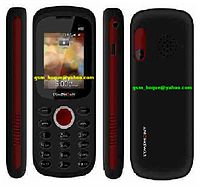
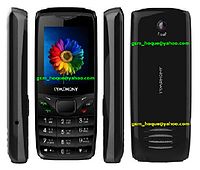
Symphony A95 (MTK-6223)

Symphony A95 (MTK-6223)


INFO-v07WBG2000Z_0403_PCB01_GPRS_MT6223P_S00.2000Z_0403 _V0820.BIN

Download

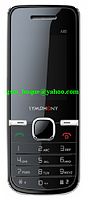
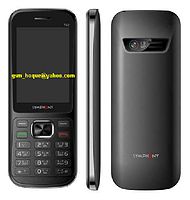
Symphony A90 (MTK-6223)

Symphony A90 (MTK-6223)


INFO-
v05TBG111616_7432_PCB01_GPRS_MT6223P_S00.111616_74 32_V1515.BIN

Download

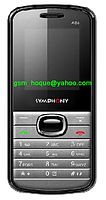
Symphony A86 (MTK-6223)

Symphony A86 (MTK-6223)


INFO-v05ZL75A44_PCB01_GPRS_MT6223P_S00.ZL75A_44A0_V1_0_ 2.BIN

http://adf.ly/MXKPp

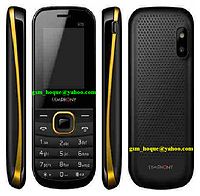
Symphony A85

Symphony A85(MTK-6223)


INFO- v05TBG111515_7441_PCB01_GPRS_MT6223P_S00.111515_74 41_V4607.BIN


http://adf.ly/MXJIl

Symphony A70 (MTK-6223)

Symphony A70 (MTK-6223)


INFO-v07LCSH23C_IBU_09A_PCB01_GPRS_MT6223_S00.LKBVH01_8 _28_1_0T07G1014_M106.BIN


Symphony B32

Symphony B32 (MTK-6250)


Info :

FARSIGHTED50M_11B_PCB01_GSM_MT6250_S00.SYMPHONY_B3 2_SOFTWARE_V0_8.BIN

CPU_Type = MT625A

FLASH_ID = 0x00EF004000160000

FLASH_Name = SF_W25Q32BV

Flash_Size = 0x00300000 (3MB)

Password : $ Ashfaq Tawhid Rayan $


Symphony B5 (MTK-6252)

Symphony B5 (MTK-6252)


Info - 02

TINNO52_10A_GEMINI16_PCB01_GSM_MT6252_S01.B1020A_M P_F2_BD_F1_09_V17.BIN

Password : Ashfaq Tawhid Rayan


Symphony T42 (MTK-6252)

Symphony T42 (MTK-6252)


Info : 02

WBG1508X_0201_PCB01_GPRS_MT6252_S01.1508X_0201_V15 43.BIN


Project ID : 1508X_0201_V1543


CPU_Type = MT6252

CPU_ID = 00000007

NOR_ID = 002C00CB00180000

NOR_Size =16MB

Password : Ashfaq Tawhid (Rayan)


shorifrana@yahoo.com

AddThis

Related Posts Plugin for WordPress, Blogger...

12